 Munim
English·हिंदी·ગુજરાતી·works without internet
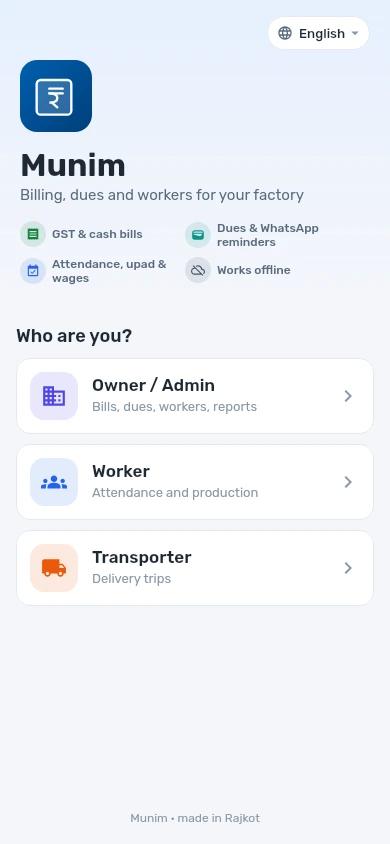
Your factory’s bills, dues and workers. In one app.
Munim makes GST and cash bills, shows which party owes what and since when, and keeps every worker’s attendance, wages and upad — right on your phone, even when there is no signal.
Got a company code from your owner? Here is how to sign in →
Bill PDF sent on WhatsApp
Sale SI027 · ₹2,28,330 to Mumbai Plastics
Day shift marked
8 of 8 workers present
Built for the worries of a small factory owner.
Money stuck with parties
Lakhs sit in dues and nobody knows which bill is 90 days old until it is too late to ask.
GST bills and cash bills mixed up
Two books in one notebook, and the GST total never matches what the CA needs.
Wages and upad on loose pages
Who came for half a day, who took an advance, what is left to pay on Saturday.
The CA wants GST data every month
Sales and purchase registers typed again into Excel, every single month.
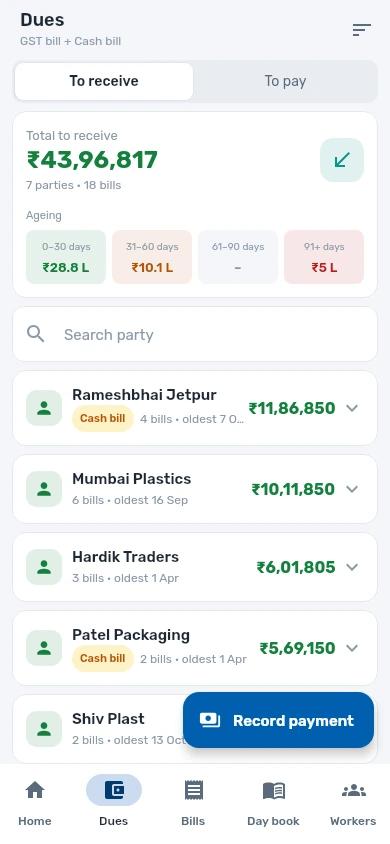
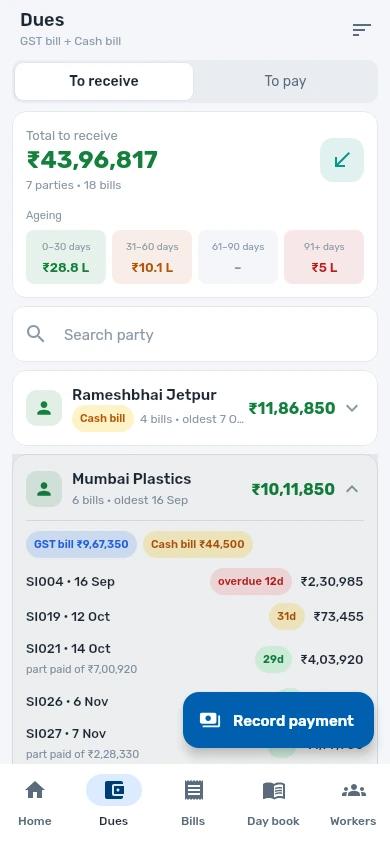
DuesKnow who owes you, bill by bill, and since when.
Every party's balance with its bills and their age, so you call about the old money first.
- Total to receive and to pay, with ageing: 0–30, 31–60, 61–90 and 91+ days
- Open a party to see each unpaid bill, how many days overdue, and what is part paid
- Remind the party on WhatsApp and record the payment against the right bills
- GST bill and cash bill balances shown apart
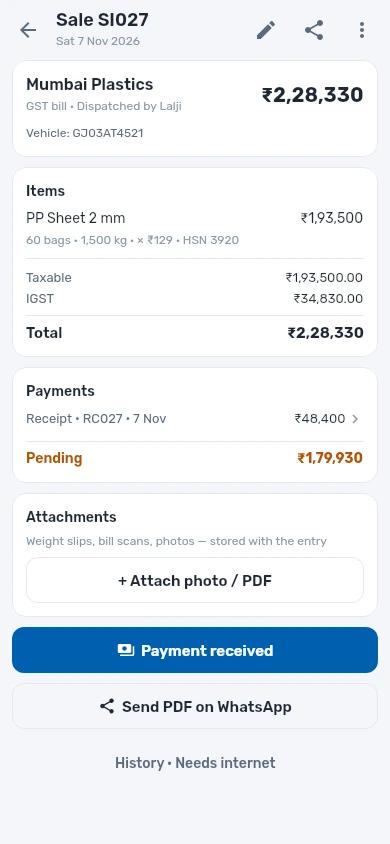
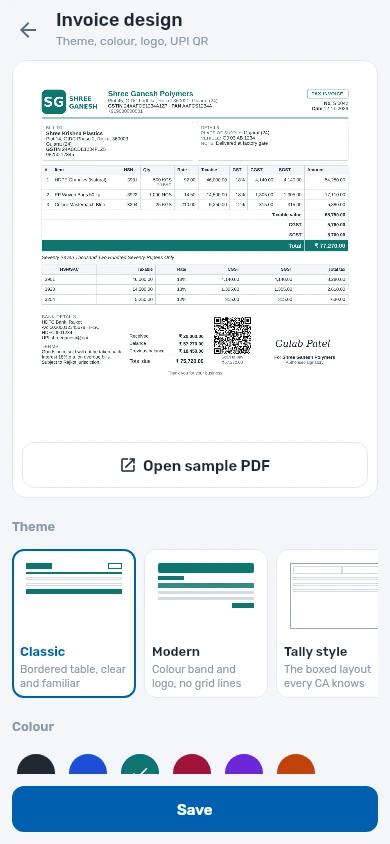
BillsGST bills and cash bills, each in its own book.
Make a sale or purchase bill in a few taps and send the PDF on WhatsApp before the truck leaves.
- Sale and purchase bills, payments, expenses, credit and debit notes
- GST worked out for you: CGST/SGST or IGST, HSN, taxable value
- Bill designs with your logo, signature and UPI QR code
- Attach weight slips and bill photos to the entry
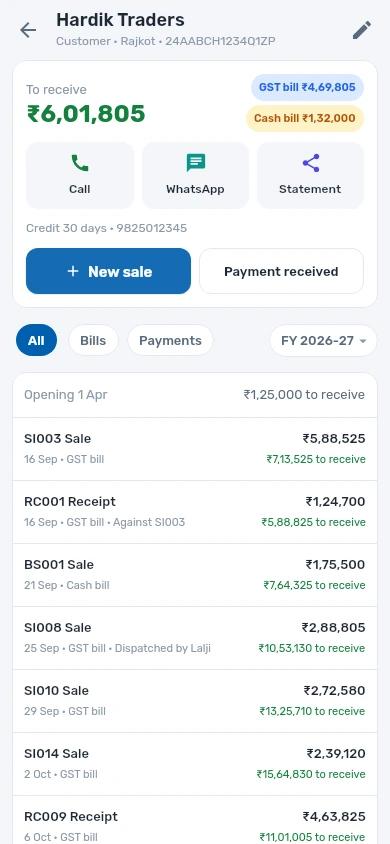
Party ledgerEvery party's full account in one place.
Opening balance, bills, receipts and the running balance — ready to share when the party asks.
- Call or WhatsApp the party right from their page
- Share the statement of account
- Credit days, GSTIN and contact saved with the party
- New sale or payment straight from the ledger
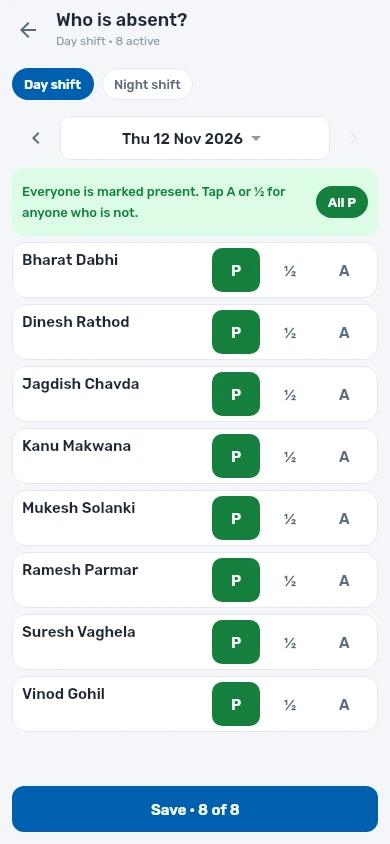
WorkersAttendance, wages and upad without the notebook.
Mark the whole shift in one tap, change only who was absent or half day, and the wage sheet adds up by itself.
- Day and night shifts, present, half day or absent
- Daily wage per worker and the wage sheet for the period
- Upad (advance) given and what is left to pay
- Workers can sign in to mark their own attendance and production
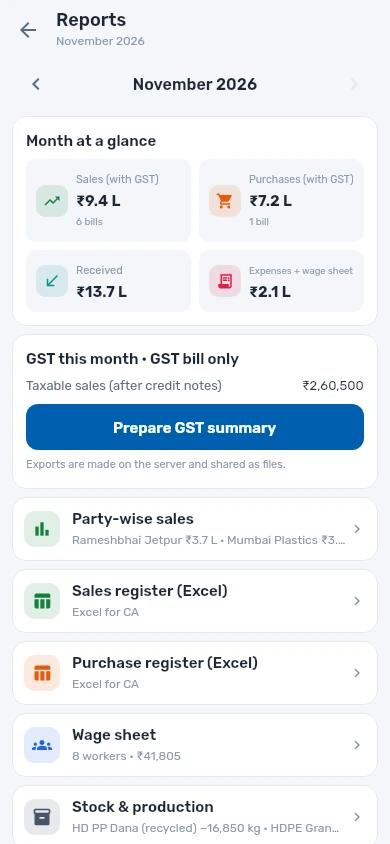
GST & reportsHand your CA the month, not a pile of bills.
See the month at a glance and send your accountant what they need in one go.
- GSTR-1 JSON and the GST summary for the month
- Sales and purchase registers in Excel
- Party-wise sales, wage sheet, stock and production
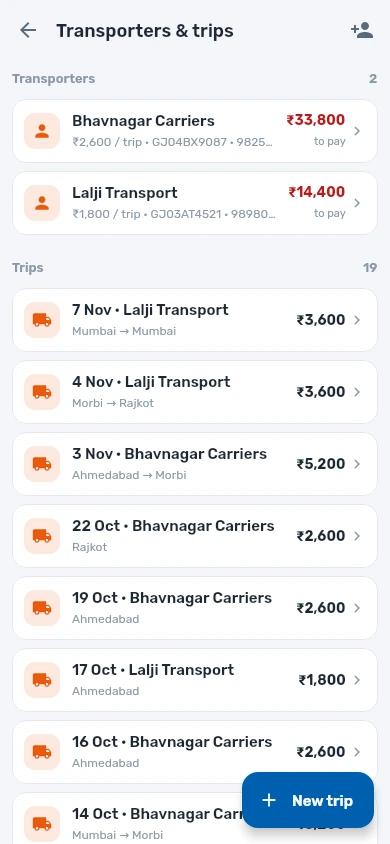
- Transporters and trips with the fare due to each
Made for how a factory really works.
Works without internet
Everything is saved on the phone first and sent when there is signal. A small mark shows what is still waiting.
English, हिंदी, ગુજરાતી
Every screen in three languages. Each person picks their own, and can change it any time.
Your whole team, your rules
Add an admin, accountant or staff and choose what each may see and do. Workers and transporters never see money.
Worker or transporter?
Your owner sent you a company code. Here is what to do.
- 1
Install Munim
Munim is coming to Google Play; until then your owner will tell you how to install it.
- 2
Choose Worker or Transporter
On the first screen, under “Who are you?”.
- 3
Enter the company code and your PIN
Both come from your owner, who finds the code in Settings. Then tap Sign in.
Workers see their own attendance and production; transporters see their own trips. Wages, fares and the company’s money stay with the owner.
Questions owners ask.
Anything else? Write to team@tufee.in and a person will answer.
What does Munim cost?
Munim is free at launch. If paid plans come later, you will see a notice in the app before anything is charged.
Does it work without internet?
Yes. Every bill, payment and attendance entry is saved on your phone first, so the app works in the factory with no signal. It sends everything to your account when the internet is back, and your other phones get it too.
Can I keep cash bills apart from GST bills?
Yes. GST bills and cash bills go into separate books with their own numbers. Dues show both, and GST reports use only GST bills.
How does a worker or transporter sign in?
Install Munim, choose Worker or Transporter, and enter the company code and PIN the owner gives you. The owner finds the code in Settings. Workers and transporters see only their own attendance, production or trips — never money.
Can my accountant and staff use it?
Yes. Add them as admin, accountant or staff and choose what each one may see and do. Your accountant can prepare the GSTR-1 JSON and the sales and purchase registers in Excel straight from the app.
Which languages does it support?
English, हिंदी and ગુજરાતી. Each person can switch language at any time in Settings.
Is there an iPhone app?
Munim is for Android phones for now.
Is my data safe?
Your data is never sold or shared with advertisers. Only people you add to your company can see it, connections are encrypted (HTTPS) and our servers are backed up regularly. Read the privacy policy for details. Privacy policy
Close the notebook. Open Munim.
Coming soon on Google Play, free at launch. Write to us to try it early.